Animals
Cat live wallpaper for Mac
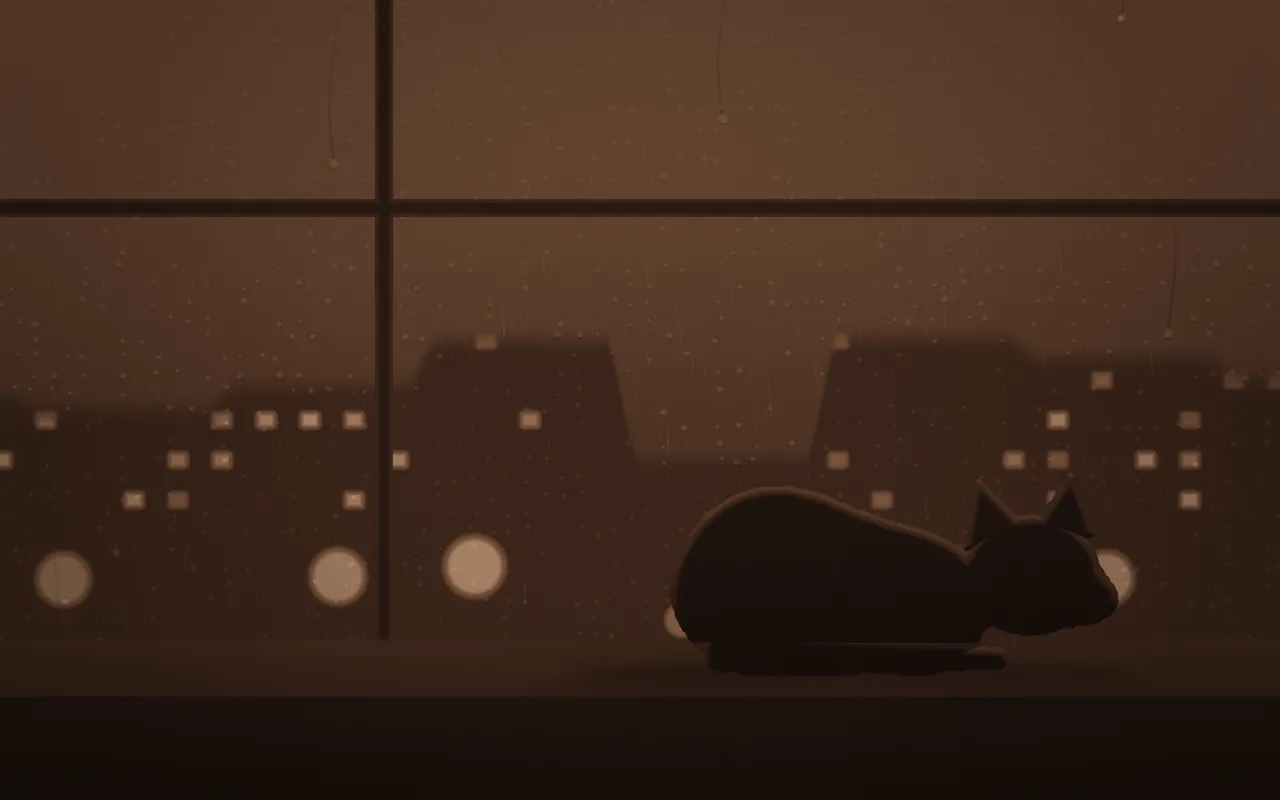
A cat sleeps on a rainy windowsill, its flank slowly rising and falling: Cat is a live wallpaper your Mac draws as it plays, in MacScapes.
By Chris at Neon FrenchieUpdated
- In MacScapes
- MacScapes Pro
- Family
- Animals
- Default palette
- Cocoa
Asleep on the sill
The cat lies curled on the right of the sill, head resting on its paws and tail wrapped along the front, with the window behind it catching the edge of its fur. It breathes slowly, about one breath every five seconds at normal speed. Every 17 seconds or so an ear turns, and a little less often the tip of its tail lifts and settles.
Outside it's wet. Rooftops stand across the street with some of their windows lit, street lights glow low down, blurred by the rain, and rain slants past. Drops bead on the glass and every few seconds one runs down, leaving a clear trail. A mullion and a transom frame the view.
Scale makes the cat larger or smaller on the sill, and Intensity brightens the lit windows and the light along its back.
On your desktop
The cat sits right of center, low on the screen, with the window and the lights filling the rest. The default Cocoa palette gives warm browns. The scene is built from light and shadow rather than fixed colors, so the cat stays the darkest shape in the room on any palette, light ones included.
For the same window without the cat, the Weather family has Rain, drops sliding down the glass at night.
Settings
Every scene has Speed, Intensity, Scale, Grain and Vignette, and Shuffle for a new variation. Cat adds its own:
- Rain
- How hard it's raining: more streaks outside, more beads and running drops on the glass, and mistier glass.
- Lights
- How many windows are lit across the street and how many street lights glow.
How to set it
- Click MacScapes in the menu bar, choose Open MacScapes, then Scenes in the sidebar (or press ⌘2).
- Select Cat under Animals. The inspector opens with a preview, the palettes and the Adjustments.
- Click Apply to make it the background of the vibe you’re using, or Save as New Vibe to keep it alongside your widgets and sound. Cat is a Pro scene, so both need MacScapes Pro; the preview and the Adjustments work without it.