Weather
Autumn live wallpaper for Mac
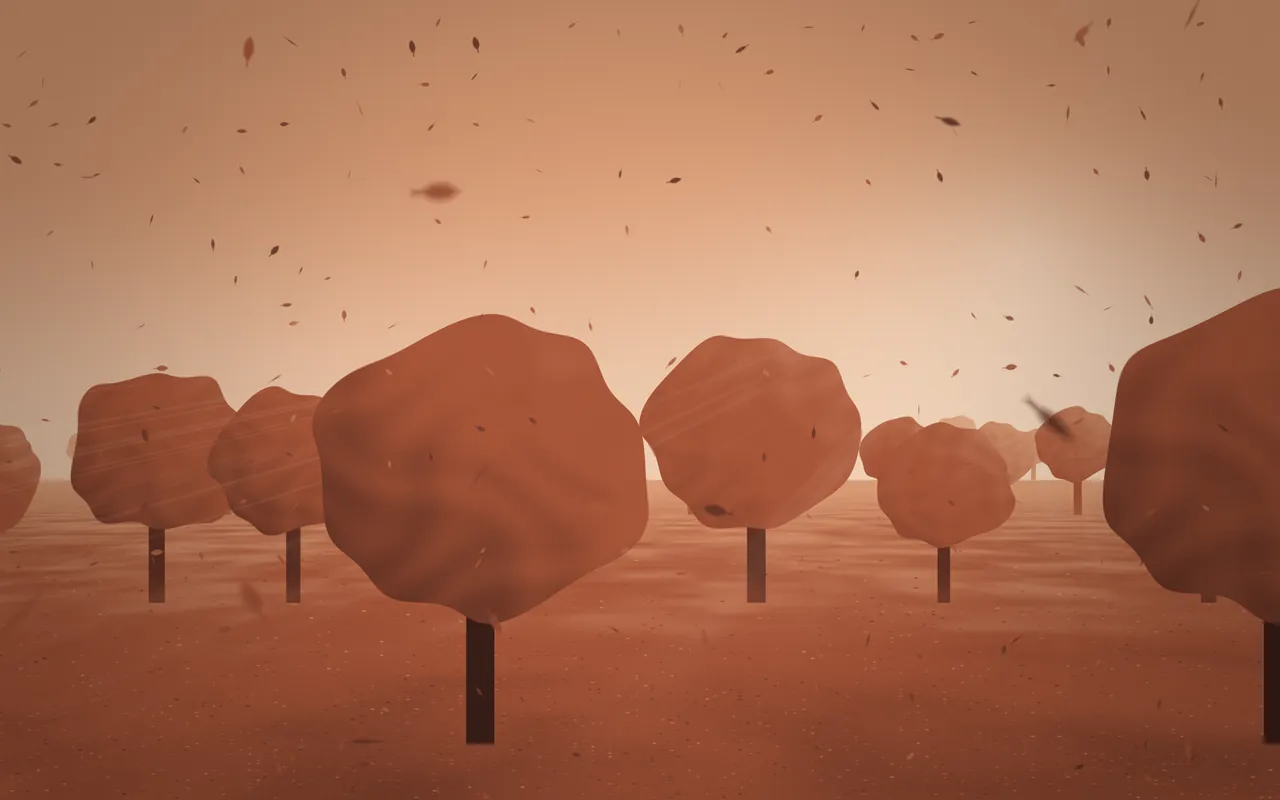
Rows of trees in their fall colors stand in a hazy morning while leaves tumble down: Autumn is a moving autumn wallpaper your Mac draws as it plays, in MacScapes.
By Chris at Neon FrenchieUpdated
- In MacScapes
- MacScapes Pro
- Family
- Weather
- Default palette
- Terracotta
A wood in the morning
Four rows of round-crowned trees recede into the haze, each row paler than the one in front, with mist lying low between them and the ground deep in fallen leaves. The sun sits to the upper right behind the haze, soft shafts of light fall through the gaps between the farther rows, and the crowns are dappled where clumps of leaves catch it.
Leaves come down in four depths, small and sharp in the distance, larger and softer up close. Each pointed leaf, stem and all, rocks from side to side as it falls, turning and flipping over.
Scale changes the size and speed of the falling leaves; the trees stay as they are. Intensity brightens the sun and its shafts.
On your desktop
Like Sakura and Snow, Autumn is a light scene: a pale sky, mid-tone crowns and dark trunks up close, and it keeps that balance on light palettes too. Terracotta, the default, gives rust and amber, and Saffron, Golden Hour, Kyoto or Sandstone keep it warm.
The near trees stand along the bottom and the sky above them is open, so widgets fit in the upper half. Forest, with leaves, air and far-off birds, or Wind suit it; ambient sound comes with Pro.
Settings
Every scene has Speed, Intensity, Scale, Grain and Vignette, and Shuffle for a new variation. Autumn adds its own:
- Leaves
- How many leaves are falling, from a few to a steady fall.
- Wind
- How far the leaves drift sideways as they come down.
How to set it
- Click MacScapes in the menu bar, choose Open MacScapes, then Scenes in the sidebar (or press ⌘2).
- Select Autumn under Weather. The inspector opens with a preview, the palettes and the Adjustments.
- Click Apply to make it the background of the vibe you’re using, or Save as New Vibe to keep it alongside your widgets and sound. Autumn is a Pro scene, so both need MacScapes Pro; the preview and the Adjustments work without it.