Light
Campfire live wallpaper for Mac
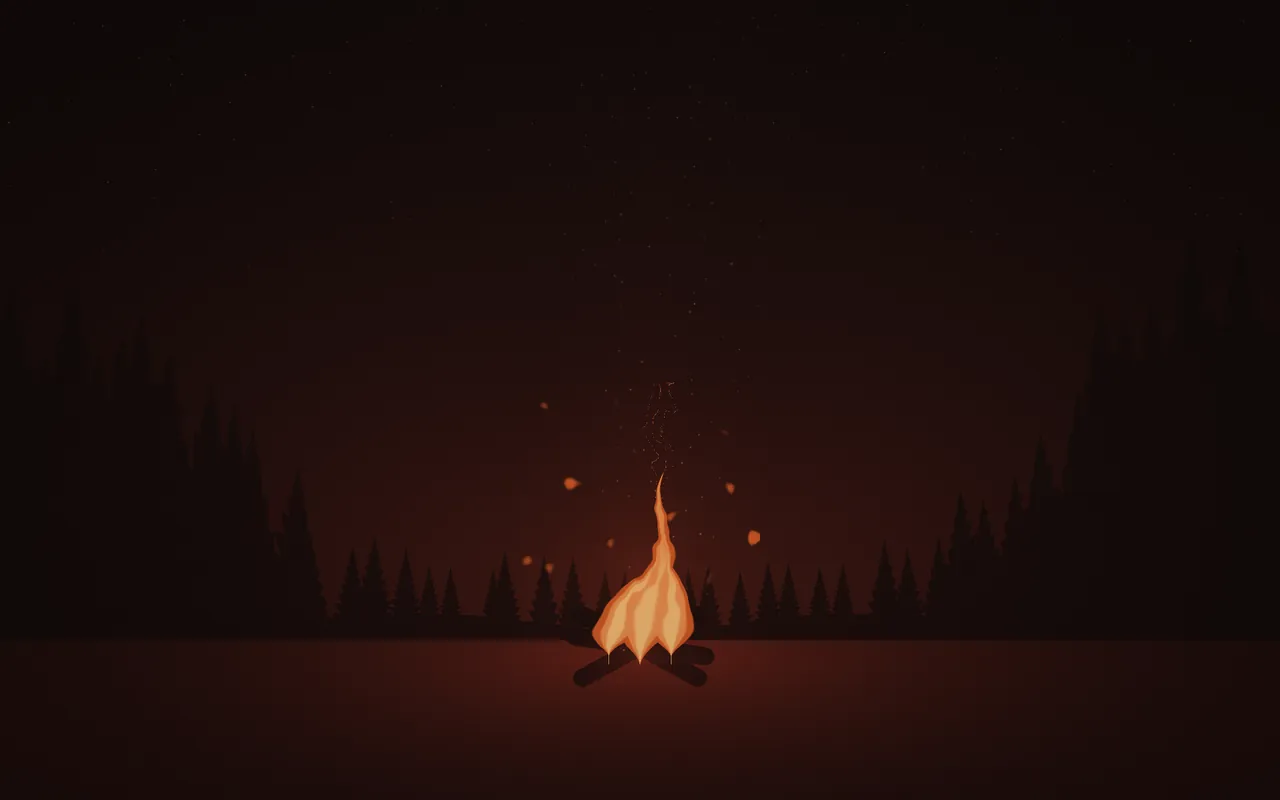
Campfire is a live wallpaper of a small fire burning in a pine clearing at night, drawn live on your Mac by MacScapes. If you were looking for a fireplace, it's the closest scene in the app, but it's an open fire outdoors, not a hearth.
By Chris at Neon FrenchieUpdated
- In MacScapes
- MacScapes Pro
- Family
- Light
- Default palette
- Ember
A fire in a clearing
Three tongues of flame rise from crossed logs, the middle one tallest, swaying more the higher they reach and torn at the tips. The fire flickers gently, and its light pools on the ground around it and catches the inner faces of the pines that close in from both sides, taller toward the edges of the screen.
Embers drift up in a column that widens and leans with the air, each flaring and fading on its own path, and a thin thread of smoke rises and bends. The sky is nearly empty: a few faint stars that disappear where the firelight warms the air.
Scale makes the whole fire larger or smaller, and Intensity brightens the flames and the glow on the ground and the trees.
On your desktop
The fire sits low in the middle of the screen and the dark sky above it is nearly empty, so widgets have the top half to themselves. The default Ember palette gives orange flames on a deep brown night. On a light palette the night is drawn in the palette's darker tones and the fire in its palest, so it still reads as a fire after dark.
For sound, Fire, a small fire settling, is the obvious match, and with it the scene comes close to a fire on your desk; Night (crickets and a warm dark) works for an evening outdoors. Ambient sound is part of MacScapes Pro, like the scene itself.
Settings
Every scene has Speed, Intensity, Scale, Grain and Vignette, and Shuffle for a new variation. Campfire adds its own:
- Flames
- How big the fire burns, from a low fire to tall flames reaching well above the logs.
- Embers
- How many embers rise above the fire.
How to set it
- Click MacScapes in the menu bar, choose Open MacScapes, then Scenes in the sidebar (or press ⌘2).
- Select Campfire under Light. The inspector opens with a preview, the palettes and the Adjustments.
- Click Apply to make it the background of the vibe you’re using, or Save as New Vibe to keep it alongside your widgets and sound. Campfire is a Pro scene, so both need MacScapes Pro; the preview and the Adjustments work without it.